Solution Designer & Automation Consultant
Grant Management System - Airtable Automation
Replaced fragmented, spreadsheet-driven grant tracking with a unified Airtable system spanning allocation, expenses, and reporting.
The Challenge
A non-profit organization tracked grants across fragmented spreadsheets, making it hard to standardize reporting or scale program management across grant cycles.
That setup made each grant cycle harder than it needed to be. Allocation tracking, expense monitoring, and reporting all lived in different places, so the team had to reconcile information manually before making decisions.
The Approach
Airtable was a good fit because it could act as a shared system of record while still giving the team flexible views for allocation, expenses, and reporting.
The solution was designed around a simple principle: the fewer times the team had to copy the same grant data into different sheets, the lower the risk of drift and reporting errors.
Implementation
- 1
Map the grant lifecycle into one data model
The first step was to define the key records that belonged in the system: grant allocations, expenses, balances, and the reporting views that the team needed to work from every cycle.
That data model is what makes the rest of the workflow possible. Once the record structure is consistent, the same grant information can support both day-to-day operations and reporting without duplicate manual entry.
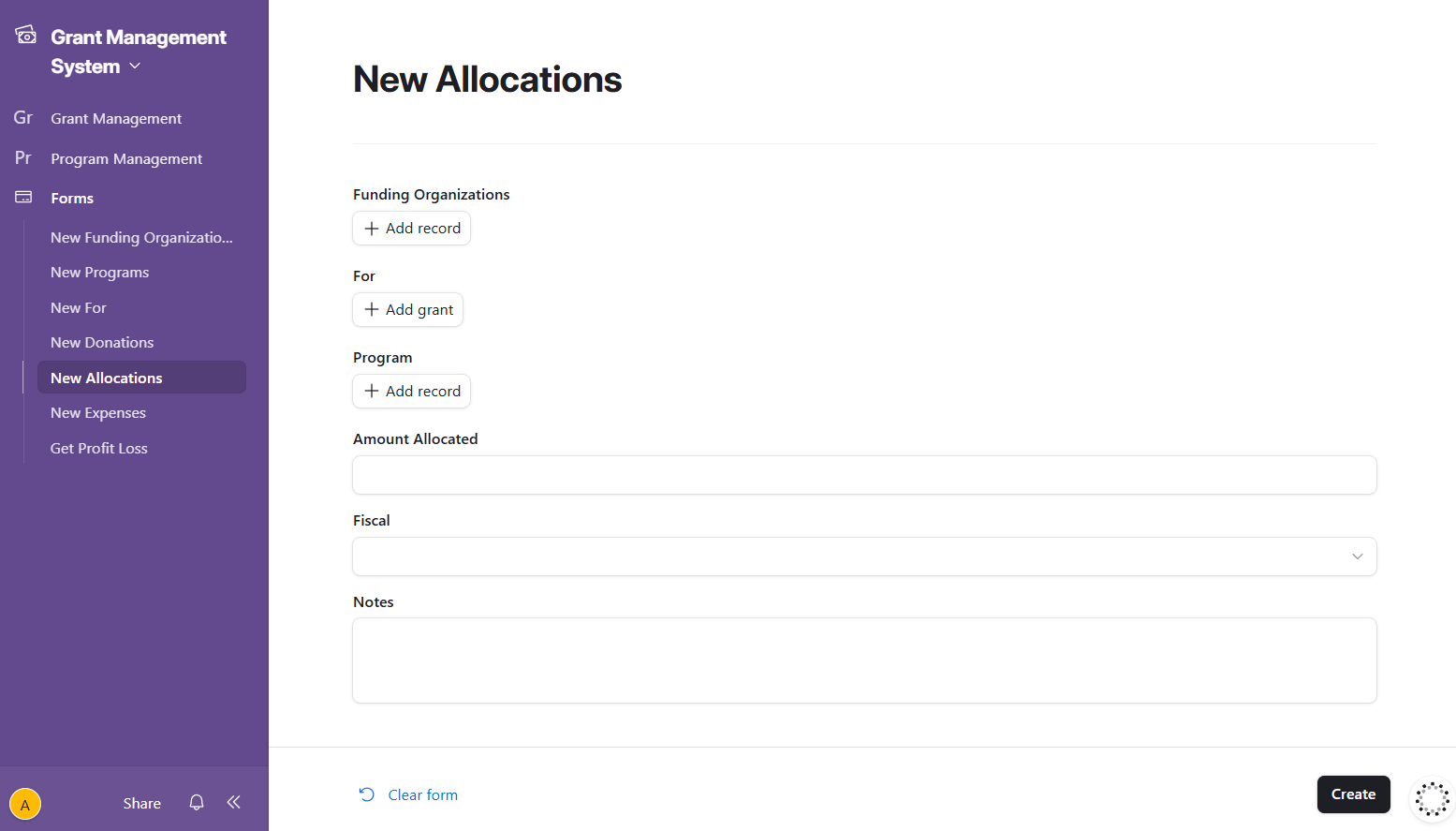
Showing the Airtable forms for data entry.
- 2
Build the Airtable automation flow
Airtable handled the operational layer of the system. It provided the tables, views, and automation hooks needed to keep the grant workflow synchronized as records changed.
This is where the process moved away from spreadsheet sprawl and toward a controlled workflow that could be maintained by both program and finance teams.
- Centralize grant records so allocation and expense data stay aligned.
- Use automations to sync data from Quickbooks to get access to latest and most accurate data.
- Expose role-appropriate views so different teams can work from the same underlying data.
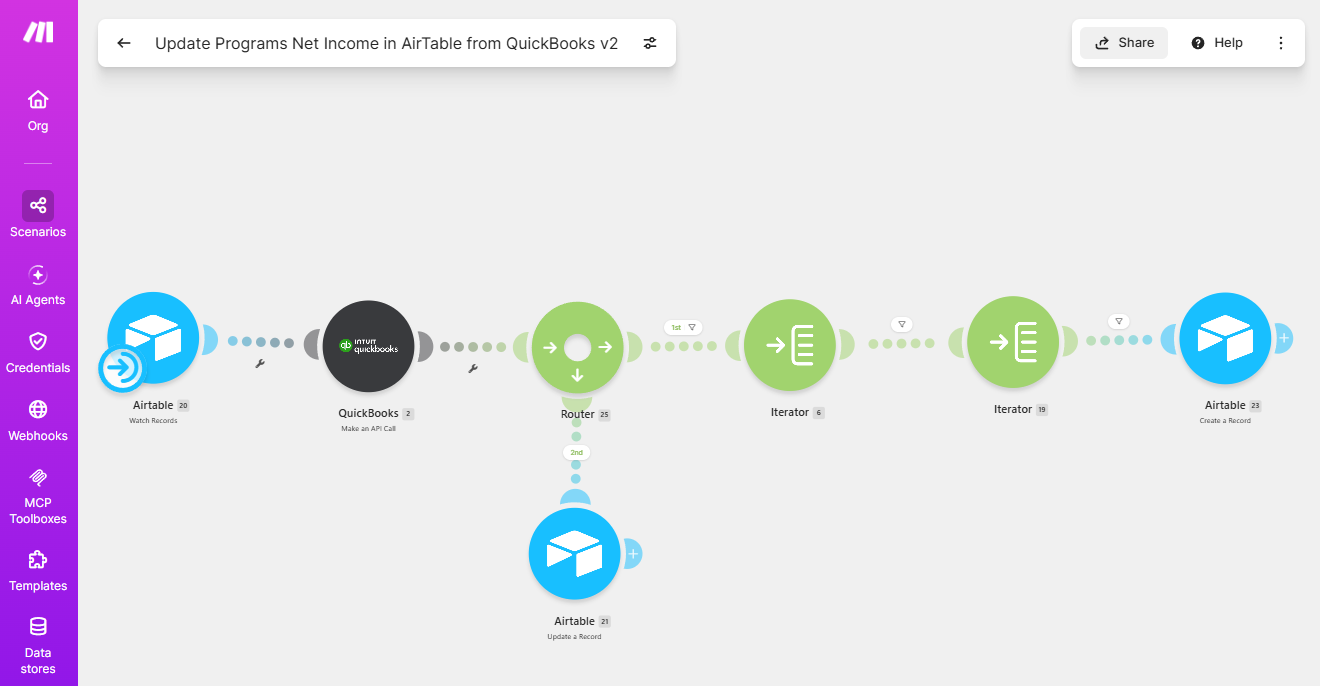
Showing the Quickbooks to Airtable automation build in Make.com.
- 3
Create reporting views for allocations, expenses, and balances
Once the system of record was in place, the final step was to shape reporting views that made the data usable in practice. Those views let the team compare allocations and expenses without rebuilding the report from scratch each time.
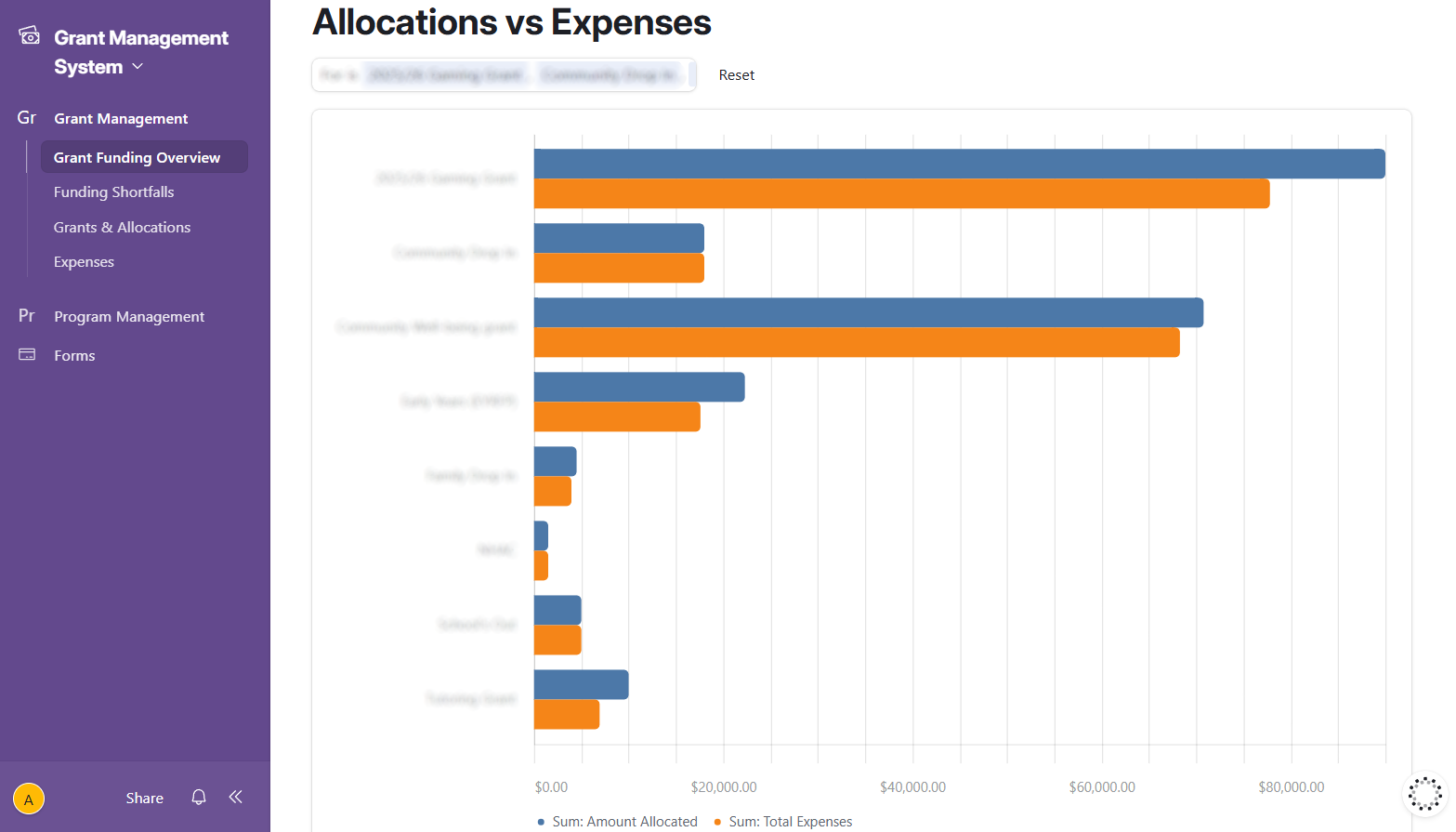
Report showing allocations versus expenses.
Results / Outcome
Reduced manual coordination and improved transparency across the organization.
Reporting turnaround time is down by 80%.
Key Takeaways
- A shared system of record is more durable than a collection of spreadsheets when several teams need the same information.
- Automation helps most when it removes repetitive coordination, not just data entry.
FAQ
Why use Airtable instead of a spreadsheet?
Airtable gives the team structured records, views, and automation in one system, which makes it easier to keep allocation and expense data aligned than when everything lives in separate spreadsheets.
Can this connect to accounting or reporting tools?
Yes, the workflow can be designed to move data into downstream accounting or reporting systems.
Is this a one-time build or an ongoing workflow?
The core Airtable system is a one-time build, but it can be extended if the grant process changes or new reporting needs are added later.
What does this replace in the current process?
It replaces fragmented spreadsheet tracking, manual reconciliation, and repeated copy-paste work across allocation, expense, and reporting views.