Independent Consultant - Solution Designer & Developer
ACH Bank Data Parser & AI Extraction Pipeline
Turned unstructured, multi-day ACH transaction exports into clean, structured data ready for direct accounting-system upload.
The Challenge
Raw multi-day ACH transaction files arrived as unstructured, non-standard exports, forcing manual re-entry into the client's accounting system for every batch.
Because the export combined multiple days of activity in one file, the first problem was not extraction alone; it was separation. Each batch had to be identified and isolated before the data could be normalized safely.
That made the work more sensitive than a standard CSV conversion. A brittle parser would have struggled with layout variation, while manual cleanup would have kept the team tied up in repetitive re-entry work.
The Approach
The architecture was intentionally split into two stages: first split the compound export into daily transaction batches, then hand each batch to Azure Document Intelligence for extraction.
That sequencing reduced ambiguity and made validation easier, because each pass could focus on a narrower slice of the source file instead of trying to solve batch detection and field extraction at the same time.
Implementation
- 1
Inspect the raw export and define the parsing boundary
The first step was to review the raw ACH export as it arrived, preserve the original file structure, and identify where daily batch boundaries appeared in the source data.
This stage matters because the downstream extraction logic depends on a stable unit of work. If the file is treated as one undifferentiated block, the parser has to guess where one batch ends and the next begins.
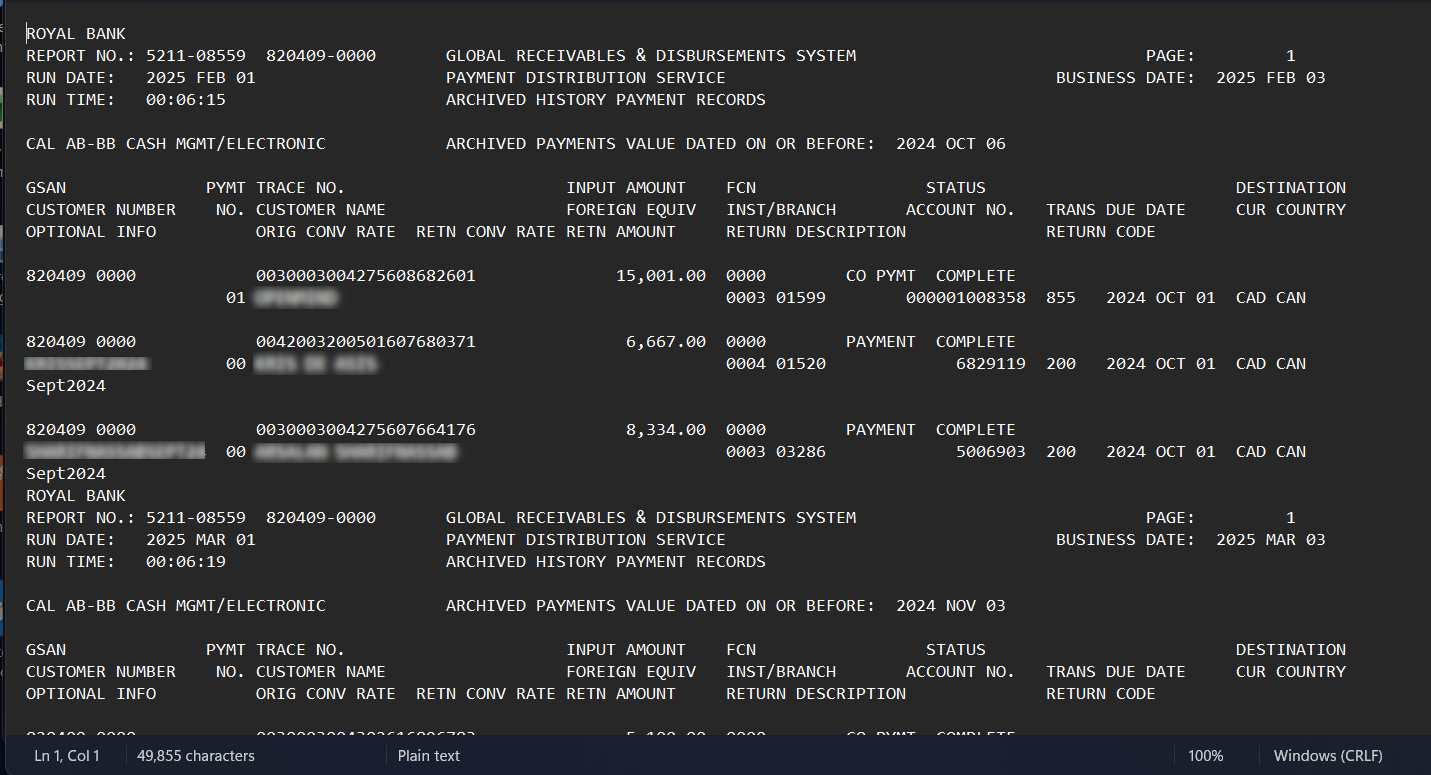
Sample showing the raw ACH data before processing.
- 2
Split the combined file into daily batches
Python handled the orchestration and file manipulation. Its job was to isolate each day's transactions into a batch that could be processed independently instead of forcing every downstream step to understand the full combined export.
That design choice created a cleaner pipeline boundary: once the data was separated, each batch could be normalized and validated on its own before it was merged into the final output.
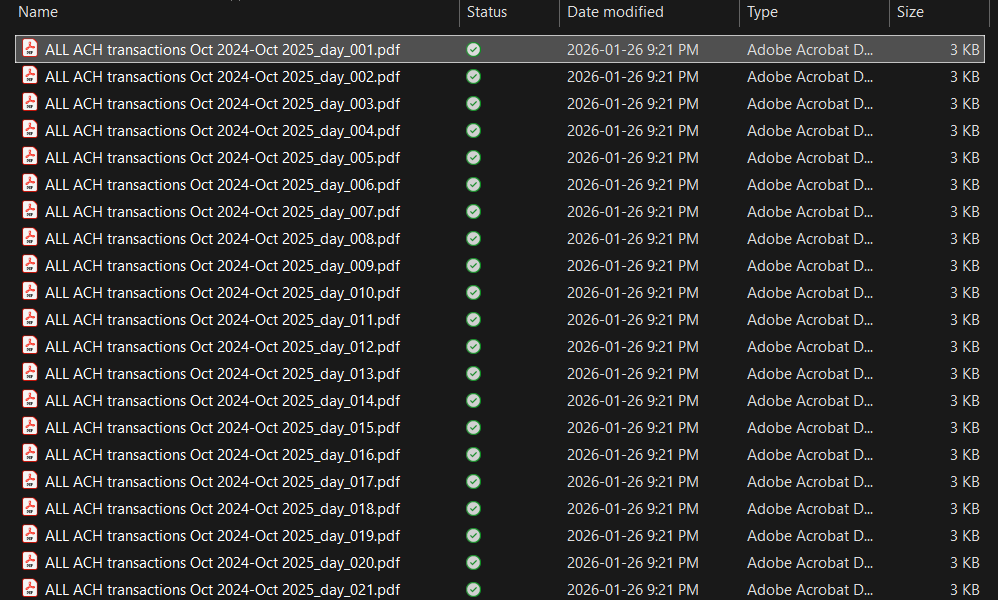
Sample showing the ACH file split into daily transaction batches.
- 3
Extract structured fields and format the CSV output
Azure Document Intelligence was used for the extraction pass. It read the content inside each daily batch and translated it into structured fields that could be normalized into a CSV-ready format.
The final output was then cleaned and validated so it could be uploaded directly into accounting systems without manual re-entry.
- Python orchestrated the file split, batching, and output assembly.
- Azure Document Intelligence extracted the transaction data from each normalized batch.
- CSV validation made sure the output was ready for downstream accounting workflows.
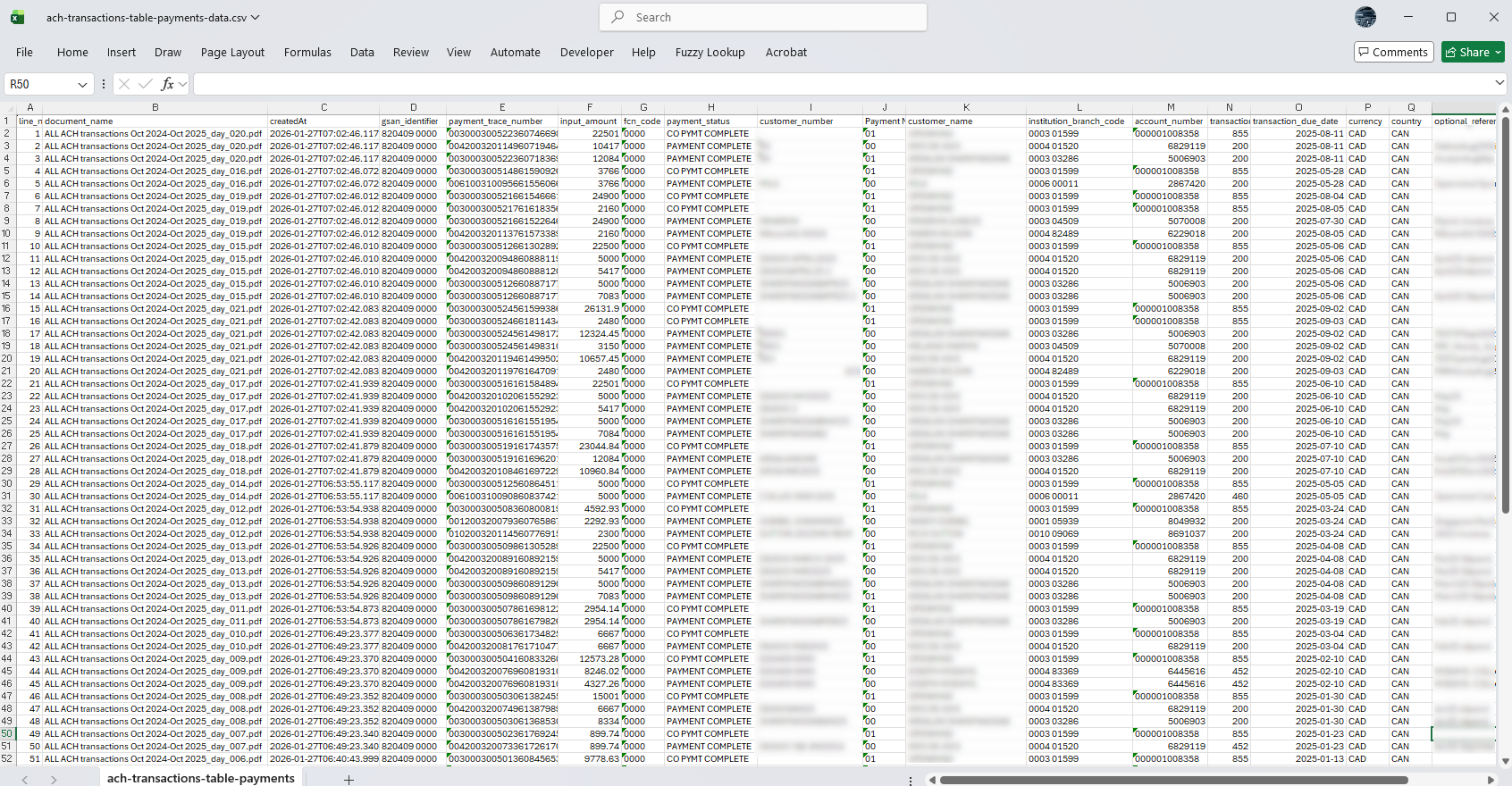
Sample of the structured CSV-ready output produced by the pipeline.
Results / Outcome
The output is validated and formatted for direct upload into accounting systems, eliminating manual re-entry entirely.
If you want a simpler off-the-shelf financial workflow, the related Convert Bank Statements to CSV use case shows the same extract-to-structure principle in a more standardized document flow.
Key Takeaways
- Split the problem before extracting it. Once the source file was broken into daily units, the downstream extraction logic became much more reliable.
- Validation had to be part of the workflow, not a final afterthought, because the output was intended for direct accounting upload.
FAQ
What file formats can this pipeline handle?
This implementation was built around the client's raw ACH export in TXT format, which was converted to daily PDF files and then extracted into normalized CSV output.
Can this integrate with Quickbooks?
Yes. The output is formatted for direct upload into accounting systems such as Quickbooks and Xero which accept CSV files.
How long does a custom parser like this typically take to build?
The build timeline varies since it depends on source format complexity, validation requirements, and any integration work. Schedule a free consultation to discuss your specific needs and timeline.
Is this a one-time build or an ongoing service?
The parser itself is a bespoke build, but the support model can include follow-up changes if the source format evolves.