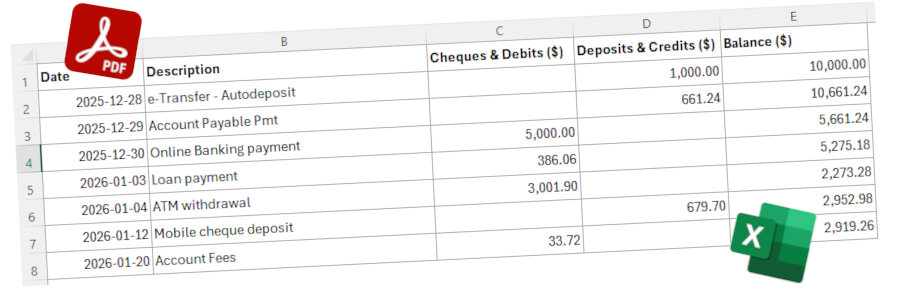
Use Case
Convert Bank Statements (PDF) to CSV in Seconds
Extract clean, structured transaction data from bank statements—no manual entry, no subscriptions, no complexity.
Why This Matters
Manually entering data from bank statements is time-consuming, error-prone, and frustrating—especially when dealing with multiple accounts or large volumes of transactions.
WhizIntell helps accounting and finance professionals automate this process by converting bank statements (PDF) into clean, ready-to-use CSV files in seconds.
What You Can Do
WhizIntell is designed to handle real-world bank statements—not just clean digital files, but also scanned documents and complex layouts. The goal is simple: take unstructured financial data and turn it into something you can actually use.
Once processed, your data is immediately available in a structured CSV format, ready to upload into an accounting software or use for further analysis.
- Convert bank statement PDFs to CSV instantly
- Extract transaction data including dates, descriptions, and amounts
- Process scanned or image-based statements
- Download structured data ready for Excel or accounting systems
How It Works
The process is designed to be simple and fast, even if you’re not technical. You don’t need to configure anything or learn new tools—just upload your file and let WhizIntell handle the rest.
- Upload your bank statement
Upload a PDF file directly from your device. - Automatic data extraction
WhizIntell processes the file and extracts transaction-level data with high accuracy. - Data cleanup and structuring
Irrelevant content such as page headers, footers, and non-transaction details (like account numbers and names) are removed to ensure clean, usable data. - Download your CSV
Get a clean, structured CSV file ready for analysis or import into your workflow.
Built for Simplicity
- No subscription required — pay-as-you-go credits
- Simple, intuitive interface — no learning curve
- Fast processing — results in seconds
- No unnecessary features — just what you need
Data Quality and Validation
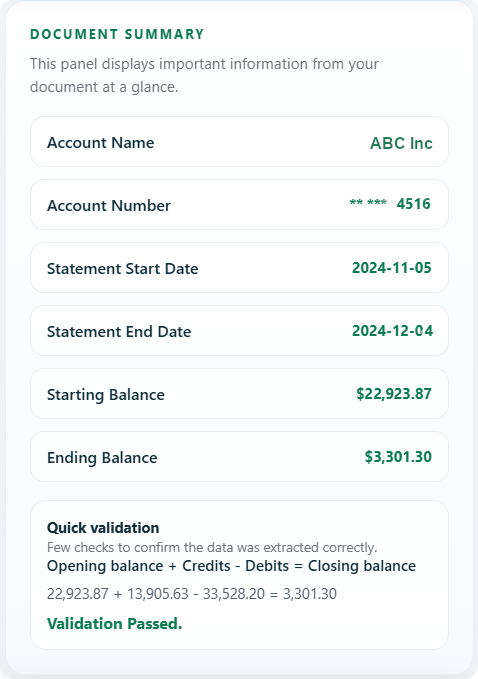
Document summary and smart validation check reconciling debits and credits against the opening balance.
Extracting data is only part of the problem—ensuring that the data is accurate and complete is just as important, especially when working with financial records.
WhizIntell goes beyond extraction by cleaning and validating the data so you can trust the output before using it in your workflows.
- Removes non-transaction content such as headers, footers, account numbers, and names
- Focuses only on relevant transaction-level data
- Provides a summary including opening and closing balances
- Performs a validation check by reconciling debits and credits against the opening balance
This built-in validation acts as a quick sanity check, helping you confirm that the extracted data aligns with the original statement.
Who This Is For
- Accountants and bookkeepers
- Small business owners with no IT staff
- Finance professionals handling transaction data
- Anyone tired of manually entering bank statement data
Bank Statement to CSV Converter
WhizIntell is a powerful yet simple bank statement to CSV converter designed to help users extract transaction data from PDF files quickly and accurately. Whether you're working with digital PDFs or scanned bank statements, our tool makes it easy to convert unstructured financial documents into structured CSV format.
If you’re looking to convert bank statement PDF to Excel or CSV, automate transaction extraction, or eliminate manual data entry, WhizIntell provides a fast and cost-effective solution without requiring subscriptions or complex setup.
Start Converting Your Bank Statements Today
Sign Up (50 free credits)
No subscription required.
Also working with credit cards? Convert credit card statements to CSV.